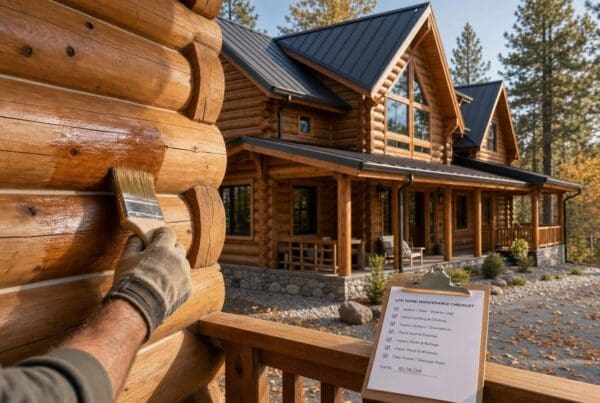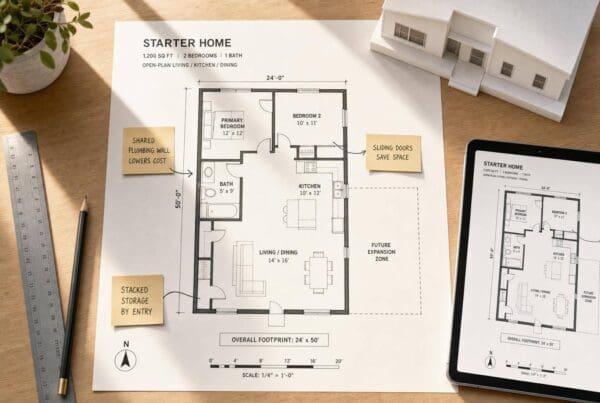

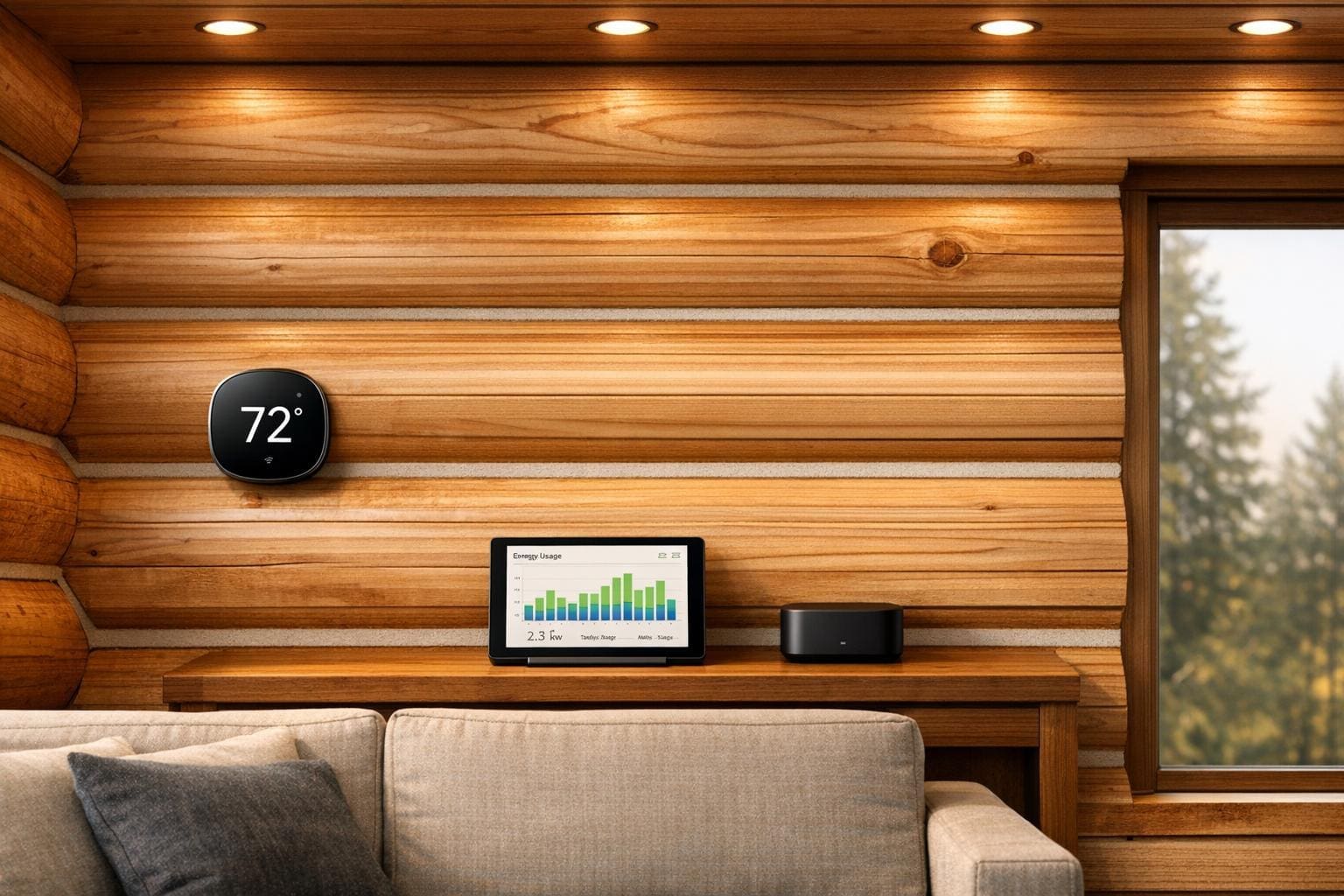
Cedar log homes provide natural beauty but come with unique energy challenges due to their thick walls and thermal mass. Smart devices like thermostats, lighting systems, energy monitors, and smart hubs can help manage these challenges effectively. Here’s what you need to know:
- Smart Thermostats: Devices like the Honeywell Home T9 and Cielo Smart Thermostat manage temperature changes caused by log walls’ slow heat absorption and release. Features like zoning, geofencing, and remote sensors improve comfort and efficiency.
- Smart Lighting: Wooden interiors absorb more light, so higher lumens are needed. Systems like Philips Hue bulbs and Lutron Caseta dimmers provide customizable lighting while saving energy.
- Energy Monitors: Tools like the Emporia Vue 3 track energy usage across systems like HVAC and well pumps. Smart plugs add precision by monitoring individual appliances.
- Smart Hubs and Connectivity: Hubs like Home Assistant Green ensure devices stay functional even in rural areas with poor internet. Mesh Wi-Fi systems help overcome signal issues caused by thick log walls.
- Planning Integration: For new builds, running conduit during construction simplifies future upgrades. For existing homes, wireless and battery-powered devices are easy to install without major modifications.
Smart devices can reduce energy costs, improve comfort, and simplify home management for log homeowners. Investing in the right setup during construction or through upgrades can deliver long-term benefits.
Energy Challenges and Opportunities in Log Homes
Cedar log homes come with their own set of energy challenges. Their thick walls, open layouts, and rural locations create conditions that demand carefully designed smart devices to maintain energy efficiency and comfort.
How Thermal Mass Works in Log Homes
Cedar log walls function like thermal batteries. During the day, they soak up heat, and at night, they release it gradually. This process helps smooth out temperature swings but also requires heating and cooling systems to constantly adjust as the walls alternately absorb or release energy.
"When you build a log home, you’re not just building walls. You’re building a thermal battery." – Amanda French, Co-Owner, Merrimac Quality Log Homes [2]
The table below highlights how log wall thickness impacts both static R-values and thermal behavior:
| Log Thickness | Static R-Value (Approx.) | Thermal Characteristic |
|---|---|---|
| 8-inch log | R-10 | High thermal mass |
| 12-inch log | R-15 | High thermal mass |
| Conventional 2×6 wall | R-19 to R-21 | Low mass / high resistance |
The International Energy Conservation Code (IECC) categorizes log walls as "mass walls" because their energy performance goes beyond what static R-values alone can measure [2]. This unique thermal behavior explains why smart devices need to account for delayed heat responses in log homes.
How Smart Devices Support Energy Management
The delayed release of heat from log walls makes precise temperature control critical. Basic thermostats often struggle with this, overcompensating due to the lag in heat release. In contrast, smart thermostats with predictive and adaptive controls can anticipate these changes and adjust accordingly, ensuring a more stable indoor environment.
Smart lighting and energy monitors also play a key role, especially in rural areas where grid reliability and energy costs can vary. South-facing log walls, for instance, absorb much more solar heat than shaded ones, leading to noticeable differences in temperature between rooms throughout the day. This makes multi-zone sensors and room-by-room monitoring an essential part of energy management in log homes.
At Big Twig Homes, cedar log home kits from Moosehead Cedar Log Homes are crafted with cedar’s natural thermal properties in mind. Designing your smart device setup during the assembly phase of your log home – rather than adding it later – simplifies the process. It allows for better placement of sensors, low-voltage wiring, and smart controls, ensuring they function optimally. These considerations highlight the importance of using adaptive, smart solutions tailored specifically for log homes.
Smart Thermostats for Cedar Log Homes
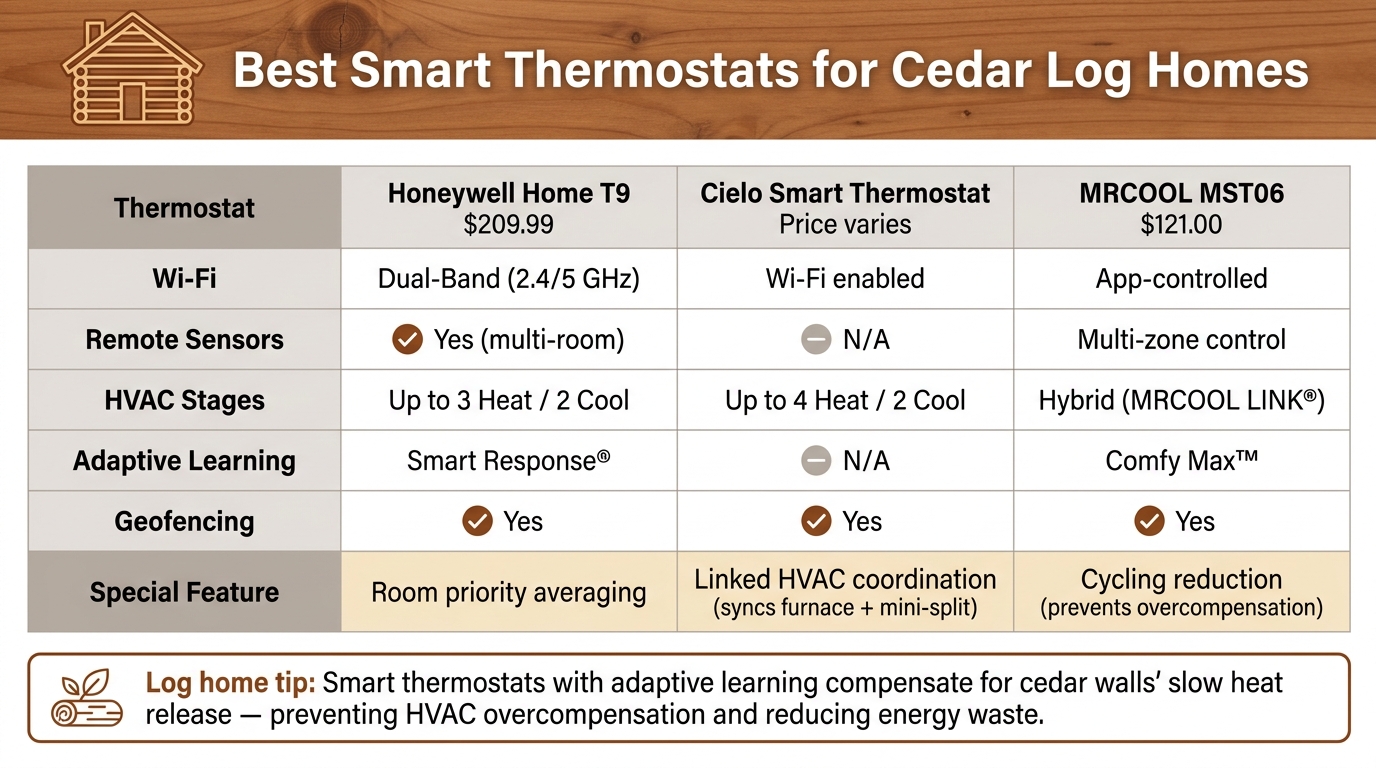
Best Smart Thermostats for Cedar Log Homes: Feature Comparison
Smart thermostats in cedar log homes need to handle the unique challenge of managing the slow-reacting thermal mass of log walls. Choosing the right thermostat can enhance energy efficiency and work seamlessly with other smart home devices, creating a well-rounded energy management system.
How to Choose a Smart Thermostat
Start by checking your HVAC system’s compatibility. Log homes often feature a mix of systems, such as forced air, radiant in-floor heating, mini-splits, or heat pumps. For example, the Cielo Smart Thermostat works with over 95% of HVAC setups, including dual fuel systems, heat pumps, and traditional boilers [4].
Another key feature to look for is zoning capability, which is especially important in open-concept log homes with high ceilings or loft spaces. A single thermostat might not effectively monitor temperature variations in such large, open spaces. The Honeywell Home T9 addresses this with remote sensors that average temperatures across multiple zones and prioritize comfort based on occupancy [3].
"Experience consistent, balanced temperatures throughout your home by utilizing the Honeywell Home T9’s Smart Room Sensors. Say goodbye to rooms that fluctuate uncomfortably between too cold and too hot." – Honeywell Home [3]
Also, ensure your thermostat supports geofencing and offers an adapter for easy installation if your home lacks a C-wire. Both the Honeywell T9 and the Cielo Smart Thermostat provide these features, making them convenient options [3][4].
By focusing on these factors, you can find a thermostat that meets the specific energy needs of cedar log homes.
Top Smart Thermostats for Log Homes
Here are some of the best smart thermostats for cedar log homes, based on their features:
| Feature | Honeywell Home T9 | Cielo Smart Thermostat | MRCOOL MST06 |
|---|---|---|---|
| Wi-Fi | Dual-Band (2.4/5 GHz) | Wi-Fi enabled | Wi-Fi app-controlled |
| Remote Sensors | Yes (multi-room) | N/A | Multi-zone control |
| HVAC Stages | Up to 3 Heat / 2 Cool | Up to 4 Heat / 2 Cool | Hybrid (MRCOOL LINK®) |
| Adaptive Learning | Smart Response® | – | Comfy Max™ |
| Geofencing | Yes | Yes | Yes |
| Special Feature | Room priority averaging | Linked HVAC coordination | Cycling reduction |
| Price | $209.99 | – | $121.00 |
The Honeywell T9 stands out with its Smart Response® technology, which learns how long it takes to heat or cool your home, addressing the slow thermal response of log walls [3]. The Cielo Smart Thermostat offers "Linked" technology that syncs multiple systems, such as a furnace and mini-split, for smooth automation [4]. Meanwhile, the MRCOOL MST06 uses Comfy Max™ to minimize unnecessary system cycling, a common issue in log homes where heating systems tend to overcompensate for the slow heat release of log walls [5].
If you’re managing a vacation or rental log home, the Cielo’s PIN lock feature can prevent guests from changing the temperature settings, helping you maintain energy efficiency [4].
Smart Lighting for Log Homes
Lighting a cedar log home comes with its own set of challenges. Unlike drywall interiors, wooden walls and ceilings tend to absorb more light, which means you’ll need about twice the lumens to achieve the same brightness. The Log and Timber Homes Council highlights this need, emphasizing the importance of proper lighting to maintain comfort and functionality [6]. Smart lighting systems offer an efficient way to meet these higher demands without driving up energy costs.
Interior Smart Lighting Options
A layered lighting approach works best for log homes. This means combining general lighting for navigation, task lighting for activities like reading or cooking, and accent lighting to showcase features like the natural wood grain or a vaulted ceiling. Smart systems make it easy to control these layers, allowing you to program scenes that adjust with a voice command or a quick tap.
"With a click of a button the home owners can change the entire lighting ‘mood’ of their home. And with motion sensors, they are never walking through the dark." – Golden Eagle Log and Timber Homes [7]
For large spaces like great rooms and lofts, Philips Hue bulbs are a solid option. They offer a wide range of brightness levels and work seamlessly with Alexa, Google Home, and Apple HomeKit. When it comes to switches, Lutron Caseta dimmers are a popular choice. They’re dependable, easy to use, and don’t require a neutral wire – perfect for older log homes with limited wiring options. Adding motion sensors in areas like hallways or loft stairways is another smart move. These sensors ensure lights turn on only when someone’s nearby, saving energy in those expansive, open-plan areas.
If you’re building or renovating, it’s a good idea to wire for extra fixtures during construction. Running new wiring through solid log walls later can be a headache, so planning ahead gives you the flexibility to upgrade your lighting setup down the road [6].
While interior lighting sets the tone inside, outdoor lighting plays a key role in safety and curb appeal.
Outdoor and Landscape Lighting
Outdoor smart lighting serves a dual purpose for log homes: enhancing safety and creating visual appeal. Properly lighting steps, pathways, and driveways ensures safe movement at night, while highlighting the natural beauty of the cedar exterior adds charm.
"Exterior lighting is needed for both aesthetic and safety reasons. For safety, illuminate steps, paths and driveways to prevent after-dark mishaps." – NAHB [6]
Low-voltage smart lights are ideal for outdoor areas. Install them under deck railings, along stair risers, or around pathways to provide subtle yet effective lighting. These lights use minimal power and, when paired with motion sensors, only activate when needed. Photo sensors are another handy feature – they automatically turn lights on at dusk and off at dawn, so you never have to worry about flipping a switch. For porches or covered outdoor spaces, look for weather-resistant smart plugs. These allow you to control string lights or lantern-style fixtures remotely, all without the hassle of adding new circuits.
Energy Monitors and Smart Plugs
Keeping track of energy use in cedar log homes can be tricky. With systems like well pumps, HVAC units, and the home’s natural thermal mass all playing a role in heating and cooling, figuring out what’s driving energy consumption is no small feat.
Whole-Home Energy Monitoring
The Emporia Vue 3 is a solid option for monitoring energy use across your entire home. It provides real-time tracking and can monitor up to 16 individual circuits at once [8][9]. This level of detail is especially helpful for rural log homes, where equipment like well pumps and sump pumps operate alongside typical household appliances.
With its cloud-based platform, you can access your energy dashboard and receive alerts from anywhere. For instance, if your well pump starts running longer than usual, it could signal a leak or mechanical issue. The Vue 3 will notify you before the problem becomes a costly repair [9][10]. It also samples voltage and current 24,000 times per second, delivering accuracy within ±2% [8].
"The Vue 3 system gives me clear, real-time insights that help me make smarter energy decisions every day." – Tom, Verified User [9]
While whole-home monitoring provides a broad view, tracking individual devices can take your energy management to the next level.
Smart Plugs for Appliance Monitoring
The Emporia Smart Plug, when paired with the Vue system, allows for precise monitoring at the outlet level [8][10]. You can track real-time power use, set schedules to automate on/off times, and shift appliance usage to off-peak hours to save on energy costs. Electricity rates during peak periods – typically 4 p.m. to 9 p.m. – can be three to four times higher [13]. Homeowners using tools like the Vue system often see savings of 10% or more on their monthly energy bills [10].
Each Emporia Smart Plug can handle a continuous load of up to 10A (about 1,200W at 120V). However, high-draw devices like space heaters, which often exceed 12.5A, will trigger the plug’s automatic 24-hour safety shut-off [12]. These smart plugs work best with items like lamps, TVs, and small kitchen appliances, while high-demand devices like washers, dryers, or portable heaters should be avoided. Additionally, most smart plugs, including Emporia’s, require a 2.4GHz Wi-Fi connection, so ensure your router supports this frequency if you’re using a mesh network [12].
"For energy-conscious buyers, the Emporia smart plug has it all. It monitors how much power your connected devices are drawing in real-time." – CBS News [11]
The Emporia Smart Plug 4-pack is priced at $34.99, while the Vue 3 bundle, which includes four smart plugs, costs $229.98. It’s a worthwhile investment for gaining better control and visibility over your home’s energy consumption [9][11].
sbb-itb-1086e16
Smart Hubs and Connectivity in Rural Log Homes
Living in a cedar log home in a rural area comes with its own set of challenges, especially when it comes to internet connectivity. Spotty service can disrupt the functionality of smart devices like thermostats, energy monitors, and lighting systems. That’s where a central smart home hub that operates locally can be a game-changer. Even during internet outages, these hubs can keep your devices running smoothly. Choosing the right hub and setting up your network properly are key steps to creating a reliable smart home experience.
Central Smart Home Hubs
A central hub acts as the brain of your smart home, connecting and managing all your devices for uninterrupted operation. Here’s a comparison of three popular options:
| Feature | Home Assistant Green [14] | Aeotec Smart Home Hub 2 [15] | Aqara Hub M1S Gen 2 [17] |
|---|---|---|---|
| Communication Protocol | Wi‑Fi, Ethernet (Zigbee/Thread via adapter) | Matter, Zigbee, Thread, Z‑Wave | Zigbee 3.0, Wi‑Fi |
| Local Control | Yes (local‑first) | Yes (edge computing) | Yes (local automations) |
| Max Devices | 1,000+ integrations | 150+ Zigbee; 1,000+ Matter | Up to 128 |
| Voice Support | Alexa, Google Home, Apple HomeKit | Bixby, Alexa, Google Home | Siri, Alexa, Google, IFTTT |
| Price | $199 | – | ~$84 CAD |
The Home Assistant Green is a standout option for those who prioritize privacy. Priced at $199, it stores all data locally, supports over 1,000 integrations, and uses minimal power – just 1.7W when idle [14].
"Your home is built to last, and so should your smart home. With Home Assistant, your smart home is private, truly owned and controlled by you." – Home Assistant [14]
The Aeotec Smart Home Hub 2, built on the Samsung SmartThings platform, offers reliable performance even during outages. It features an enhanced processor and local memory, ensuring essential functions stay online [15].
"The Smart Home Hub 2 has an enhanced processor and local memory… so you can rely on your Smart Home, even when your whole home network is offline." – Aeotec [15]
For homes with multiple Zigbee devices, the Aqara Hub M1S Gen 2 is a great choice. It supports up to 128 devices with Zigbee repeaters and is highly rated for its simple setup and compatibility with Apple HomeKit [17].
Wi‑Fi and Network Setup Tips
Once you’ve chosen your hub, the next step is ensuring your network can handle the unique challenges of a log home. Thick log walls can weaken Wi‑Fi signals, making a mesh Wi‑Fi system an ideal solution. These systems use multiple nodes to provide consistent coverage throughout your home, avoiding the limitations of a single router.
Here are some tips to improve your network performance:
- Place your hub in a central location, away from metal appliances, thick load-bearing walls, and electrical panels, which can interfere with Wi‑Fi and Zigbee signals [17].
- Use a Gigabit Ethernet cable to connect your hub directly to the router for a stable connection [14][15].
- Take advantage of Zigbee devices that double as signal repeaters to extend the network across larger spaces.
- Opt for hubs like the Aqara Hub M1S Gen 2 that support WPA3, the latest Wi‑Fi security standard, for added protection in remote areas [17].
Builders such as Big Twig Homes recommend planning for connectivity during the design phase of your log home. This approach ensures that smart technology and networking are seamlessly integrated without compromising the rustic aesthetic of your space.
How to Set Up Smart Devices in a Log Home
Setting up smart devices in a log home can be a bit different from doing so in a traditional house. Whether you’re starting from scratch with a new build or upgrading an existing log cabin, careful planning and the right approach can make the process much smoother – and save you time and money in the long run.
Planning Smart Device Integration During Construction
If you’re building a log home, this is the perfect time to plan for smart device integration. One of the key steps is to map out hidden cable pathways for wiring, sensors, and thermostats. Running conduit inside the log walls during construction allows you to upgrade wiring later without disturbing the finished interior. It’s also a good idea to have a licensed electrician install a C-wire (common wire) for smart thermostats and energy monitoring sensors at the main electrical panel. This setup ensures you can monitor power usage from the moment you move in [18][1].
When choosing devices, look for ones that support Matter or Thread communication standards. These protocols provide compatibility across various brands, so you won’t be stuck in a single ecosystem as technology evolves [1]. According to Big Twig Homes, incorporating smart infrastructure into your design plans early is especially important for cedar log home kits. These homes are designed for energy efficiency and work well with zoned, programmable climate control systems.
If you’re working with an existing log home, don’t worry – there are still plenty of smart upgrades you can make without major renovations.
Adding Smart Devices to an Existing Log Home
For existing log homes, the good news is that many modern smart devices are wireless and battery-powered. This means you can avoid drilling into cedar walls, which is especially helpful given the unique wiring challenges of log structures [7]. Once you’ve chosen your devices, you can follow a few straightforward steps to get them up and running.
For a relatively small investment – between $200 and $800 – you can install a smart thermostat, a few smart plugs, and a clip-on energy monitor at your electrical panel [1]. Clip-on current transducers, for example, attach directly around existing panel cables. Some models even use energy-harvesting technology, so they don’t require batteries or additional wiring [21]. If your home has radiator-based heating, consider smart thermostatic radiator valves (TRVs). These screw directly onto your existing radiator valves, giving you multi-zone control without the need to run new wires through your log walls [20].
"Smart home energy management is one of those upgrades you don’t think about much once it’s in place… it’s less about chasing savings and more about having a home that just works." – EcoFlow [1]
Once your devices are installed, test them by briefly shutting off the main power to ensure backup systems and automated routines function as expected [1]. Regularly updating your devices is also essential to protect against security vulnerabilities, which can be a bigger concern in rural areas with less network oversight [1].
Conclusion
Cedar log homes and smart technology make a natural pairing. Cedar’s thermal mass provides an edge in energy efficiency, while a well-chosen smart setup – like a thermostat, energy monitor, smart lighting, and a reliable hub – can cut heating and cooling energy use by up to 30%, offering tangible, long-term savings [19].
But it’s not just about the numbers. These features also bring convenience and comfort, which is especially valuable for rural homes where utility costs and grid reliability can fluctuate.
Looking further ahead, the benefits grow even more appealing. With the rise of Grid-Interactive Efficient Buildings (GEBs), homes equipped with smart technology can contribute to the grid by sending back surplus stored energy during peak demand, often earning bill credits in return. Combine this with solar panels or geothermal systems, and a cedar log home becomes more than energy-efficient – it becomes a forward-thinking, eco-conscious living space.
If you’re considering building a new home, laying the right groundwork is crucial. Big Twig Homes provides customizable cedar log home kits and SIP panel packages that prioritize energy performance. As they note: "Integrating renewable energy with log homes is entirely possible. You can incorporate solar panels or geothermal systems to enhance energy efficiency and sustainability, ensuring your log home operates harmoniously with eco-friendly energy sources." [16] Planning for smart wiring and renewable energy compatibility during the design phase makes future upgrades much simpler and ensures your home can adapt to new energy innovations.
Whether you’re starting fresh or upgrading your current cabin, it’s worth diving in. Even a modest $200–$800 smart home setup can deliver clear, measurable benefits from day one [1].
FAQs
How do I stop my HVAC from overcorrecting in a log home?
Managing temperature in a log home can be tricky, but a smart thermostat can make a big difference. These devices offer precise temperature control and can learn your daily habits, helping to reduce unnecessary cycling of your HVAC system.
Another effective strategy is zoning your heating system. This allows you to focus on specific areas of your home, ensuring better temperature management where it’s needed most.
When choosing a thermostat, make sure it’s fully compatible with your HVAC system. Look for features like learning schedules and geofencing. These tools help keep temperatures steady and improve overall efficiency, saving you both energy and money.
What’s the best way to get reliable Wi‑Fi through thick log walls?
To get dependable Wi-Fi in homes with thick log walls, a mesh Wi-Fi system is a great option. Devices like the Nighthawk Mesh Extender or Orbi can help eliminate dead zones and keep your connection strong throughout the space.
For larger areas or particularly tricky layouts, placing a Wi-Fi bridge, such as the Leviton Decora Smart Wi-Fi Bridge, in a central spot can further improve coverage and ensure consistent performance.
Which circuits should I monitor first to cut energy bills fastest?
If you’re looking to cut energy costs quickly, start by focusing on circuits related to heating, cooling, and lighting. These systems tend to consume the most energy in log homes. Pinpointing and addressing inefficiencies in these areas can make a noticeable difference in your energy bills.